
Three steps from expertise to finished course
You bring the knowledge. CourseCraft AI handles structure, content refinement, and presentation — without outsourcing a single decision about your course's substance.
Instructions:
Download the file and save it with an .html extension.
Open the saved HTML file directly from your desktop.
(Optional) Obtain a Gemini API Key from Google AI Studio (free) to enable automated AI grading.
Get a Free Sample Course
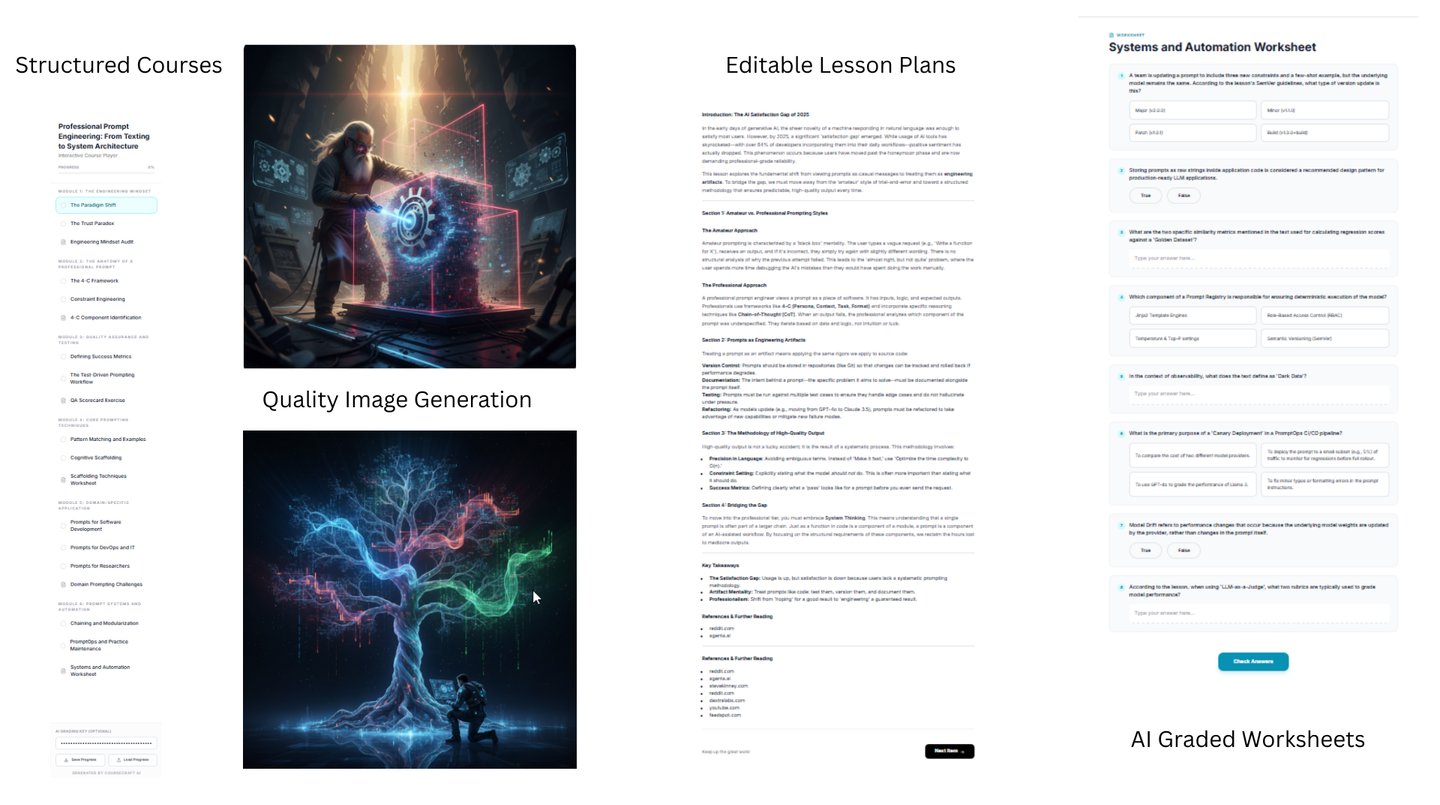
Professional Prompt Engineering: From Texting to System Architecture


The AI learns from you, not instead of you
CourseCraft AI trains on your submitted material — your phrasing, your examples, your level of rigor. The draft it returns doesn't read like a template. It reads like you had a very productive week.
Instructors who used to spend eight to twelve weeks on a single course are shipping in two. Not by cutting corners — by cutting the production drag that had nothing to do with their expertise.
Input, structure, refine — in that order
Bring your raw expertise
We build the scaffold
Content drafted in your voice
Upload notes, transcripts, slide decks, or a rough outline. Any format works. CourseCraft AI reads your material the way a sharp editor would — looking for what you know, not what's missing.
The AI maps your material into a logical module-and-lesson architecture — sequenced for learning, not just alphabetical. You review the structure and adjust before anything is written.
CourseCraft AI drafts lesson content calibrated to your tone — drawn from your own material, not a generic template. You edit, approve, and publish. No ghostwritten feel; no templated compromise.
What people ask before they start
Does it work with niche subject matter?
How much do I need to edit the output?
What kind of files can I upload?
Yes. The AI structures what you give it — it doesn't hallucinate domain knowledge. Your expertise is the source material; the tool handles the production layer around it.
Most instructors make light edits — a phrase here, a resequenced point there. The draft is a working starting point, not a rough sketch. You stay in control of every word that ships.
Drop in text, Markdown, or code files. CourseCraft AI is built to work with your raw material, no tedious reformatting required